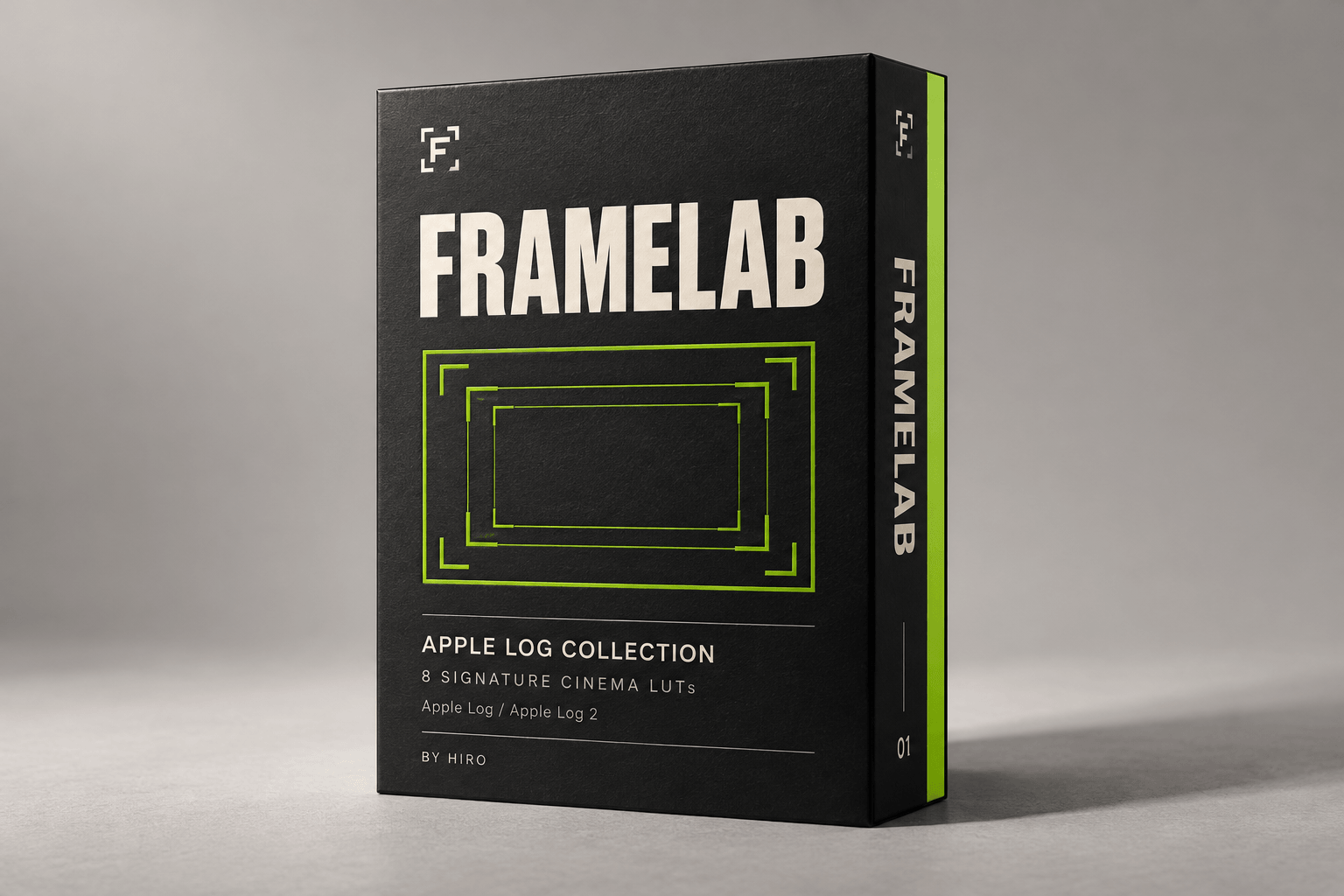
Digital download / 8 individual .cube LUTs / By Hiro
08Distinct looks
65-point3D LUT tables
Apple LogMatching Log / Log 2 inputs
Rec.709Look + conversion workflow
THE LOOK COLLECTION / 01—08
Eight perspectives on color.
Start with the feeling. Explore the palette, mood, and creative direction of every look, then shape the image with intention.
01
URBAN & COOL
Tokyo Original
The city, remembered in color.
Deep shadows, green-inflected midtones, and gentle mint highlights. The original Tokyo palette, with an understated roll-off in bright areas.
For street films, travel diaries, architecture, and quiet city observations.
MOODObservant / urban / understated
COLOR RESPONSE
Identical inputs / darker to brighter groups
R / Y / G / C / B / M · four input levels
NEUTRAL-INPUT RESPONSE
Output RGB / 0–1 scale
1.000.750.500.250.00
0.000.250.500.751.00
INPUT CODE VALUE / R = G = B
RedGreenBlue
Synthetic signals, not footage.
02
URBAN & COOL
Filmic Pro Signature I
Cool shadows. A distinct point of view.
Emerald and blue-green shadows create deliberate color separation, moving into gentler green-tinted highlights.
For urban portraits, fashion films, evening streets, and a composed cinematic mood.
MOODCool / composed / intriguing
COLOR RESPONSE
Identical inputs / darker to brighter groups
R / Y / G / C / B / M · four input levels
NEUTRAL-INPUT RESPONSE
Output RGB / 0–1 scale
1.000.750.500.250.00
0.000.250.500.751.00
INPUT CODE VALUE / R = G = B
RedGreenBlue
Synthetic signals, not footage.
03
MODERN ANALOG
Modern Analog Signature II
Cool depth meets warm light.
Blue-cyan shadows meet warm, cream-colored highlights. Deep blacks anchor expressive color and a brighter upper range.
For sunlit travel, lifestyle stories, music videos, and light-led scenes.
MOODExpressive / warm-cool / modern
COLOR RESPONSE
Identical inputs / darker to brighter groups
R / Y / G / C / B / M · four input levels
NEUTRAL-INPUT RESPONSE
Output RGB / 0–1 scale
1.000.750.500.250.00
0.000.250.500.751.00
INPUT CODE VALUE / R = G = B
RedGreenBlue
Synthetic signals, not footage.
04
HIRO'S GO-TO LOOK
2383 Signature III
The look I keep coming back to.
Gently lifted, green-tinted blacks meet assertive midtone contrast and contained highlights. A personal interpretation of the 2383 print aesthetic.
For signature films, narrative sequences, and a consistent visual identity.
MOODPersonal / deliberate / print-inspired
COLOR RESPONSE
Identical inputs / darker to brighter groups
R / Y / G / C / B / M · four input levels
NEUTRAL-INPUT RESPONSE
Output RGB / 0–1 scale
1.000.750.500.250.00
0.000.250.500.751.00
INPUT CODE VALUE / R = G = B
RedGreenBlue
Synthetic signals, not footage.
05
THE 2383 FAMILY
2383 Core
Deep blacks. Color with conviction.
The most grounded black floor in the 2383 trio, paired with vivid, separated color and less pronounced green in neutral tones than Signature III.
For bold daylight, colorful locations, and commercial films with presence.
MOODBold / grounded / vivid
COLOR RESPONSE
Identical inputs / darker to brighter groups
R / Y / G / C / B / M · four input levels
NEUTRAL-INPUT RESPONSE
Output RGB / 0–1 scale
1.000.750.500.250.00
0.000.250.500.751.00
INPUT CODE VALUE / R = G = B
RedGreenBlue
Synthetic signals, not footage.
06
THE 2383 FAMILY
2383 Prime
A more open expression of print.
Cool, gently lifted shadows move toward warmer highlights. A softer black floor and brighter upper range give the image more breathing room.
For editorial portraits, lifestyle films, travel stories, and a lighter touch.
MOODOpen / composed / polished
COLOR RESPONSE
Identical inputs / darker to brighter groups
R / Y / G / C / B / M · four input levels
NEUTRAL-INPUT RESPONSE
Output RGB / 0–1 scale
1.000.750.500.250.00
0.000.250.500.751.00
INPUT CODE VALUE / R = G = B
RedGreenBlue
Synthetic signals, not footage.
07
SMALL-GAUGE INFLUENCE
16mm Classic
An understated sense of nostalgia.
Lifted blue-toned blacks, open lower midtones, and restrained highlights. A quieter progression with the intimacy of a personal film.
For documentary moments, everyday portraits, and stories built around memory.
MOODIntimate / quiet / nostalgic
COLOR RESPONSE
Identical inputs / darker to brighter groups
R / Y / G / C / B / M · four input levels
NEUTRAL-INPUT RESPONSE
Output RGB / 0–1 scale
1.000.750.500.250.00
0.000.250.500.751.00
INPUT CODE VALUE / R = G = B
RedGreenBlue
Synthetic signals, not footage.
08
SMALL-GAUGE INFLUENCE
16mm PrintStock
Small-gauge character. A stronger finish.
Cool cyan-blue shadows, a more pronounced midtone transition, and brighter, subtly warm highlights. More assertive than Classic, with lifted blacks.
For expressive short films, fashion editorials, music videos, and nostalgic stories.
MOODExpressive / nostalgic / assertive
COLOR RESPONSE
Identical inputs / darker to brighter groups
R / Y / G / C / B / M · four input levels
NEUTRAL-INPUT RESPONSE
Output RGB / 0–1 scale
1.000.750.500.250.00
0.000.250.500.751.00
INPUT CODE VALUE / R = G = B
RedGreenBlue
Synthetic signals, not footage.
How to read the studies.
Each look uses the same digital test signals. The curves show red, green, and blue output when the input channels are equal, across code values from 0 to 1. The swatches repeat six color directions at four brightness levels.
These are synthetic signals, not footage or a calibrated camera response. The moods and suggested uses are creative interpretations. Your recording profile, exposure, lighting, white balance, and display all shape the final image.
These descriptions express the collection's creative direction. A LUT shapes color and tone; grain, halation, and film movement are separate finishing choices.
THE WORKFLOW / ONE LOOK. ONE CONVERSION.
Shoot with intention. Finish with confidence.
FRAMELAB takes the matching Log input to Rec.709. Balance first. Apply the LUT once.
01
Capture Log
Record in the Apple Log or Apple Log 2 profile matched to your supplied LUT file.
02
Balance the image
Adjust exposure, temperature, and tint before the LUT. Match shots with the look visible.
03
Finish in Rec.709
Apply FRAMELAB as the final color node or effect in the simple manually managed workflow.
Keep the conversion intact.
Do not normalize to Rec.709 before these combined files, or add another Log-to-Rec.709 transform afterward. Begin at full LUT strength and refine the balance upstream. In a color-managed project, adapt the pipeline to the LUT's documented input and output.
BLACKMAGIC CAMERA ON IPHONE
Find your look before the edit.
Preview FRAMELAB while you shoot. Make decisions about light, exposure, and composition with the mood already in view.
Profile availability depends on your iPhone, app, and recording settings. Apple Log and Apple Log 2 are not interchangeable inputs.
01 /
Choose your profile
Select the supported Apple Log profile and match the FRAMELAB file to it. Record a short test before the shoot.
02 /
Lock the essentials
Choose frame rate and shutter deliberately. Start around 180 degrees, adjust for flicker, and lock exposure and white balance.
03 /
Import and preview
Import the supplied .cube file in the app's LUT settings, select the look, and enable its display preview.
04 /
Keep your Log original
Leave Record LUT to Clip off for a flexible edit. If you intentionally bake in the LUT, do not apply it again later.
YOUR EDITOR. YOUR POINT OF VIEW.
Edit where you create.
Delivered in .cube format for editors that support custom LUTs.
DaVinci Resolve · Adobe Premiere Pro · Final Cut Pro · CapCut Desktop
Correct input matching and color settings matter. The ability to import a .cube file does not replace the right color pipeline.
What do I receive?
Eight individual .cube LUTs: Tokyo Original, Filmic Pro Signature I, Modern Analog Signature II, 2383 Signature III, 2383 Core, 2383 Prime, 16mm Classic, and 16mm PrintStock.
Which input profile should I use?
Use the supplied file approved for your exact source profile. Check the file specification and guide before an important shoot. For help matching Apple Log or Apple Log 2, contact Hiro.
Does this add grain or halation?
No. These LUTs shape color and tone. Add texture, grain, halation, or film movement separately when your film calls for them.
Can I use other cameras or RAW?
Do not apply an Apple Log LUT directly to another camera profile. Other sources need a correctly decoded and adapted signal matching the LUT input. Confirm the workflow with Hiro before use.